C3: Prepping for serious dev
The next real step forward was to begin working on the networking and time keeping. But those steps were the beginning of what is to become a real software project. Still small to medium sized compared to PC projects. But it will have a level of complexity that Ardunio projects don't usually achieve. What this means is the Arduino IDE would be wholly unsuited for developing it. I ran into this a bit with the Robot project. Towards the end of development as some complexity emerged with the socket communications, it got fairly difficult to manage in the Ardunio IDE.
My solution was to fall back to my trusty C++ IDE Code::Blocks.

I love this IDE, so light weight, cross-platform, and infinitely configurable. C::B has some high level support for AVR projects (that's the architecture of the micro-controller that the Arduino uses), but it's really a thin veneer. All of the guts, GCC-AVR and others, must be setup on your own.
This...
Took...
Awhile...
I was following spotty tutorials written for much older versions of every piece of software in the chain. I had to extract AVR-libc and the Arduino Core lib from the Arduino IDE, get headers, do all sorts of fun stuff that Arduino clearly never intended for you to do. But in the end, I got it all compiling, burning, and running from within C::B. I even got C::B auto-resetting the hardware prior to burning! (Something none of the tutorials managed to do!)
I'll tell you, when I got my own code without any of the Arduino auto-magical trickery running on that chip:
int main()
{
        init();

        while(1)
        {
            // Insert celebration here
        }
}
That was a gooooood day.
So with everything ready to go, all set for serious software development, I began looking into the networking. Dusted off my old networking WiFi shield (Arduino speak for daughter board) and began loading up all the libraries. I got a basic web server test running, and then went on to compile in more feature in the library. And all of a sudden, cla-thunk! My program wouldn't upload. Scrolled through the build log and found "Memory out of range". Crap... opened up the /bin directory of my project and saw the .elf file's size at 33KiB. The Arduino only has 32KiB of program memory...
After playing with stripping & size optimization options, and weighing if I really needed those library features that had pushed me over the limit. I concluded that I needed a new micro-controller with more memory. Luckily Arduino's come in several flavors! After a quick look-see, I decided on the new Arduino Mega 2560. It's based off of the newest Arduino, the Uno, has 8 times the program memory, and MANY more I/O pins. But other than that, it's identical to my current one. Which means it can be a slot in replacement, and I don't have to change any of my plans 🙂
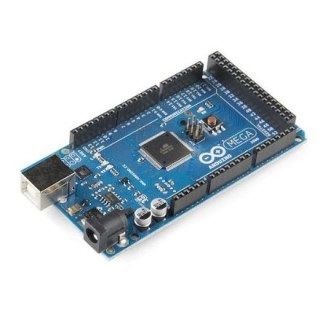
So I'm waiting on that to be delivered before I can continue.
That's all!
C3: First steps
As I stated in my last post, I began some actual work on this project over the weekend.
What's some times not appreciable, is the amount of time it takes just to get started on something like this. Finding all my Arduino parts and pieces, installing the software, figuring out all the little quirks again (It's been more than 6 months since I finished the robot project).
Finally being setup again for Arduino development, I set to soldering together a little voltage regulator for my bread board. It would allow me to put in anywhere between 3V and 36V and get a nice clean 5V signal out. This way I could independently power my breadboard without extra wires from the Arduino.
Next I needed to test my pressure sensor, to figure out how it works and how best to use it. I started by building a little RC (resistor capacitor) circuit as described in the sensor's user manual. But quickly realized this wasn't necessary with the Arduino, Just using one resistor and an Analog pin I could read it directly. Problem was, I was getting these highly variable values. In fact, when graphed over time, they looked quite a bit like the charge and release cycle of a capacitor.
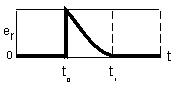
This puzzled me of course because all I had in the circuit was a resistor and the sensor. After more fiddling and frustration, I removed my nifty bread board power supply and hooked it up directly to my Arduino's 5V pin, and instantly I got stable values. Good for my level of frustration. Sad because I really liked my little bread board power supply. Not sure what I screwed up when soldering it together...
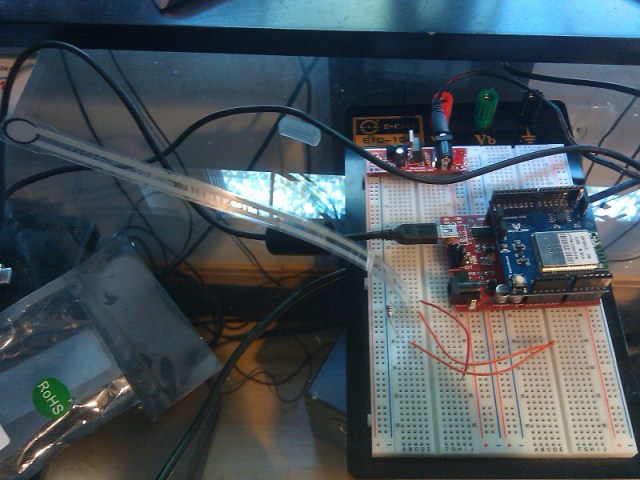
Anyway, I happily played around with my sensor, creating functions to produce readings in lbs rather than voltage and such. It was fun and cleared the way for what was, in my mind, one of the biggest question marks for the whole project.
C3: the Cloud Connected Chronometer begins
Over the weekend, many weeks of research culminated in the first concrete progress on my new hardware project. First let me give a run down of the idea for this project.
The core idea originated from the fact that I'm a bit like Jekyll and Hyde. Except instead of a murderous monster living in my psyche, there is a sleep loving monster who shuts off my alarm clock instead of snoozing it. I know. It's ridiculous. I'm determined to be victorious, however, which brings us to my latest weapon in this battle:
C[cube]
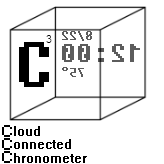
It's an alarm clock that solves the problem using a pressure sensor. The sensor will be between my mattress and box spring, so it will "know" if I'm still in bed, and simply not allow me to turn an alarm off until I get out of bed and stay out. Though I will still be able to snooze alarms as usual.
Now in order to interface with this pressure sensor, I will of course be using my trusty Arduino. And given that, a whole world of possibilities open up! So in addition to the Arduino, I've also pilfered the Wifi board from my robot. So here is the short list of features the C3 will center around:
- Time always accurate using NTP (Network Time Protocol), never set it again after losing power!
- OLED touch screen for simple input, vibrant graphics, no back-lighting for good night time viewing.
- Alarms scheduled using Google Calendar. Never have a work alarm go off on the weekends, vacations, or days off.
- Pressure sensor to ensure alarms are not turned off while still in bed.
- Current weather conditions displayed on screen.
- WAV or MP3 playback for more pleasant alarm types.
I'm also investigating a speech synthesization chip (SpeakJet) to allow it to talk 😛 And obviously there are many more possibilities having an internet connected alarm clock that I will explore once the base features are implemented.
So stay tuned for more updates as I progress on this!
Robo-pernicus: Part 2
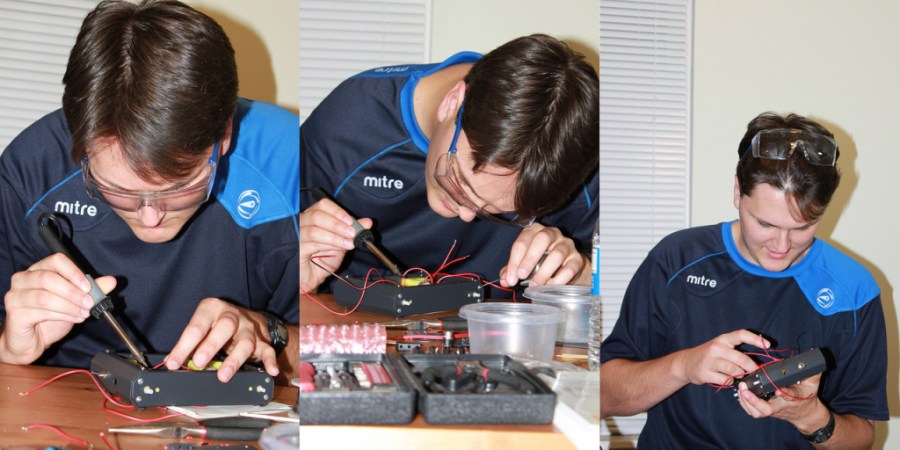
The next day at work it was all I could think about, and around lunch time, it hit me. They are in series! I'm dividing the voltage between the two servos! If I hook them up in parallel they'll EACH get 9V!
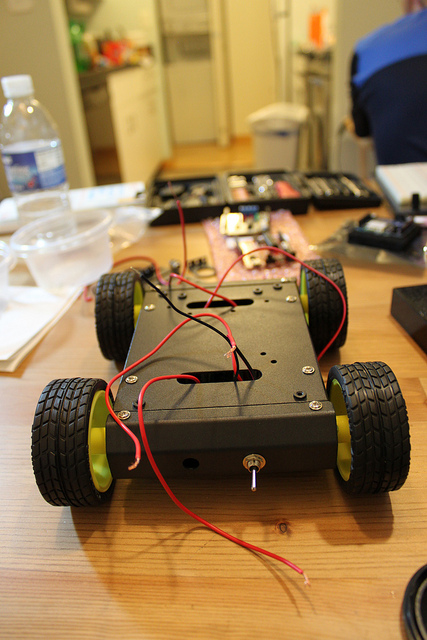
That night after a flurry of cutting, de-soldering, and re-soldering, it was ready. Popping a 9V on it made it leap forward! Excited, I set to work hooking the logic boards together, but when it came time to affix them to the chassis I encountered another problem. It wasn't really meant to host a board like this. The screw holes were probably intended for something else, but certainly not for my Arduino. Additionally, I have a bare circuit board I'm trying to attach to a metal chassis! I looked all around in my spare parts for some sort of fastener or holder or something to mount my logic boards with to prevent them from shorting out on the chassis, but couldn't find anything. Finally I settled on cutting an anti-static bag from an old video card and screwing the boards awkwardly through that bag and onto the chassis however I could make them fit.
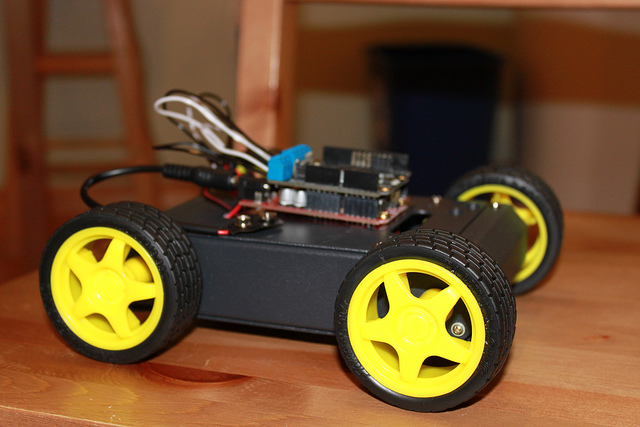
I then set to testing out some stuff with the Arduino. Read up on the docs for the motor driver, wrote some test programs making it move and turn. Then did the same with the wireless chip, tested hosting a webserver on it and allowing you to control the motors by clicking links. It worked! It wasn't very responsive of course, reloading the page after a link click was pretty slow and all. But it worked! So I called one of my friends via Skype who lives in Texas, and using the webcam on my laptop gave him a view of the robot on the floor. Then I setup some port-forwarding so he could access the server hosted on the robot, and it was ready to go! I stepped back, couldn't see the laptop because of how it was positioned for the webcam. And all of a sudden this little robot starts moving on its own, via commands from my friend in TEXAS! (I live in Boston) I mean c'mon! We really take the internet for granted I know, but the series of events that are transpiring to make his actions in Texas manifest themselves in the real world in my apartment in Boston... I mean c'mon!!!
As Tesla once said: "I do not think there is any thrill that can go through the human heart like that felt by the inventor as he sees some creation of the brain unfolding to success... Such emotions make a man forget food, sleep, friends, love, everything."
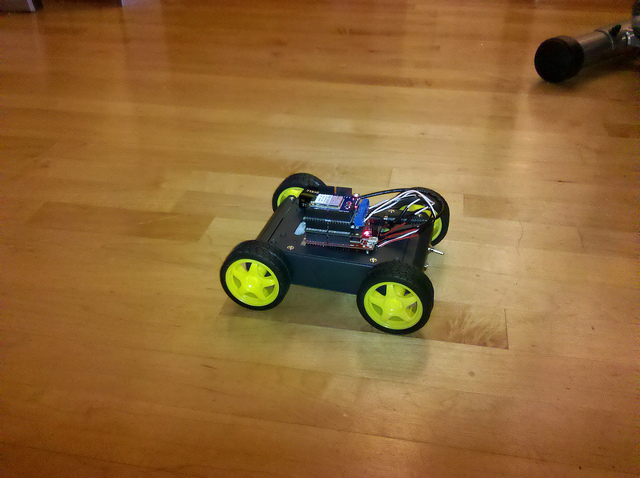
Over the next several days I fast iterated. I ripped out the webserver and wrote a proper socket server for the robot, and socket client that ran on my home server. It was MUCH more responsive. Then I wrote a webpage that used AJAX to send "real-time" control commands to stub PHP script, which in turn sent them onto the socket client. And finally, after much research, I found a webcam that worked with Linux, had auto-focus, and great video quality (glass optics, no plastic crap), and a software package for streaming the video to the control webpage (no X11 or GUI of any kind, which restricted my options quite a bit).
This was a blast, you could log onto the site, see the robot from the webcam mounted in the corner of the room, and drive it around using WASD or GUI controls on the webpage. And I did some input wrapping so key down & key up worked the way you'd expect. It was fun. But it was lacking something big. I wanted to drive this robot in first person perspective.
I began researching wireless webcams, or really wireless cams of any kind, and there weren
Robo-pernicus: Part 1
I probably should have posted about this when I was actually doing it. But C'est la vie.
Anyway I had been messing around with some Arduino stuff a while back, and got pretty far but never finished a project. Other things came up so I shelved it all. Then we got a kitten and I thought it would be fun to be able to play with the kitten while I was out of the house.
So I came up with the idea for a remote control robot with a kitten toy attached to it that you could control from a web page. Already having an Arduino, the natural choice was to extend what I had.
I looked into the different parts I would need and settled on this build:
- Arduino
- SyncLabs WiFi Shield (802.11b)
- 1amp dual motor driver shield
- 4 wheeled chassis kit
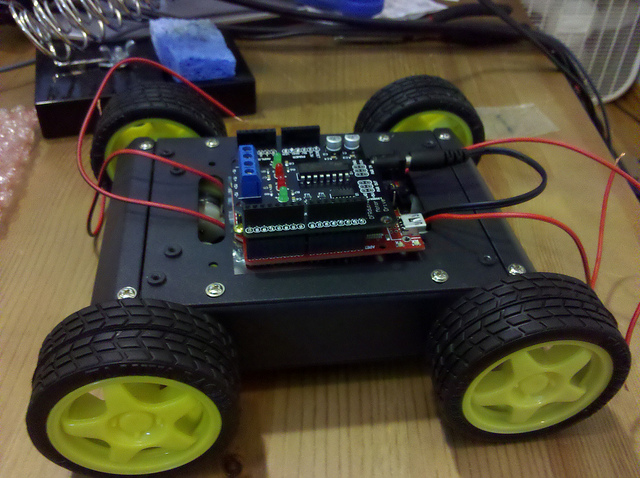
Now being, at least what I consider to be, a fairly adept programmer, I was not worried about the software side of things.
However I was also not worried about the hardware side of things... This was stupid.
Since the control side of the hardware was merely 3 boards that fit neatly together, I started by focusing on the chassis construction. Now I went into this wanting it to be a fun learning project, not just a robot in a kit. And boy did I get more than I bargained for.
The Chassis kit consisted of a 3 zip-lock bags. 1 contained several tiny metal pieces that clearly were meant to be the chassis frame. 1 contained assorted screws and other hardware necessary for assembly, and the last contained 4 small-ish servos.
I've done some electronics stuff, and we had covered circuits in my college physics classes, but any useful knowledge from those past experiences fell out of my head when I was presented with this unorganized, unstructured bag of parts. There was no manual, no instructions, no numbered pieces. Just a bag of constituent components that could, in the right and knowledgeable hands, be assembled into a robot chassis. Though truth be told they could also be assembled into a doomsday machine for all I knew. Each seemed equally possible from where I stood.
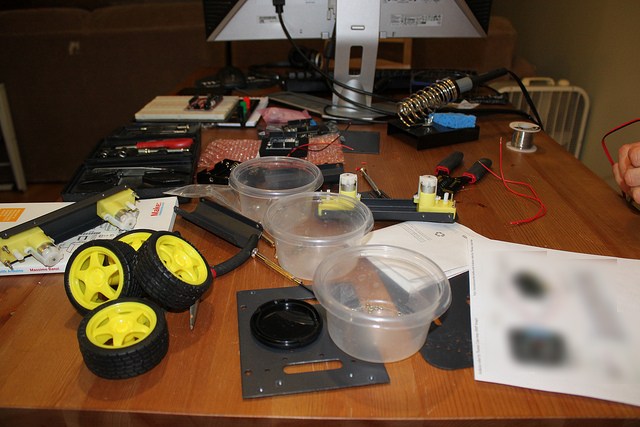
But this is what I had wanted! I wanted to embark on untrodden ground! I wanted to INVENT! Not to follow in the path of countless others! (Of course this isn't really Inventing, it's more so playing with Legos, assembling pre-made pieces into a semi-unique configuration, but give me a break 😛 )
So I dug in. Not knowing where in particular to start I began sizing up the metal parts that would make up the frame. Fitting them together didn't take long to figure out. I ended up assembling them, promptly realizing that the order I did it in presented me with problems, and reassembling it again, several times in fact, until I found the optimal method. Attaching the servos again made me disassemble and reassemble the frame (with the frame fully assembled the space was too small for me to work in to attach the servos).
So Finally, after longer then I'd like to admit, I had the chassis assembled and servo's installed inside it.
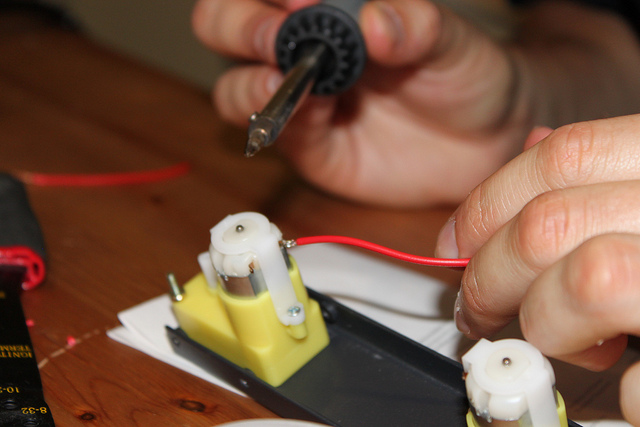
(I'd like to apologize to my past physics professors for this next part. You really did teach me these things! I just forgot for a few hours...)
I played around with my circuit boards a little, and mulled the problem before me. My motor drivers could drive 2 motor independently, but I had 4 servos. It's not a complex problem and the solution may seem obvious, but exactly how to go about it, and the fear derived from being "untethered", made it a contentious decision. After some rough sketches of my wiring harness, I did some Googling and found some one else's rough sketch that looked exactly like mine! That was enough confirmation for me that I was right. No thoughts back to my physics class about circuits, I forged ahead...
The design I had come up with was intended to keep things as simple as possible. Each motor driver had a + and - terminal on the shield, thus I only wanted 4 wires total coming out of the chassis bound for the control board. I would hook up the 2 motors on a given side in series. This kept wire clutter to a minimum, and kept everything as simple as can be.
I could regale you with tales of soldering through the plastic that held the leads, and cutting the wires too short after one end was already soldered, or how I realized the leads on the servo's were thin cheap and breakable, or how I forgot which lead was + and which was - on the servo because one was the revere of the other. But I won't, suffice it to say it's only the 3rd time I've soldered something. And I learned a lot.
At this point I had been at this for HOURS. It was a monster session. I was burnt out. My girlfriend who had been by my side for most of it, was passed out on the couch at this point, stirring only when I would get a face full of solder smoke and make a pained nasal sound.
I was DONE but couldn't go to sleep without seeing it move. Actually hooking up the logic boards was not an option so I just taped a 9V battery to the chassis and connected the leads to it. The results were less then spectacular. While holding it in the air, the wheels barely moved, and when sitting on the ground it couldn't overcome friction it seemed.
Blurry-eyed, frustrated, and tired. I called it quits for the night and passed out.
Stack Overflow

Me on Flickr
Archives
- May 2012
- March 2012
- February 2012
- January 2012
- December 2011
- November 2011
- October 2011
- September 2011
- August 2011
- June 2011
- May 2011
- April 2011
- March 2011
- February 2011
- July 2010
- March 2010
- February 2010
- September 2009
- May 2009
- May 2008
- November 2007
- October 2007
- September 2007
- July 2007
- May 2007
- April 2007
- March 2007
- February 2007
- January 2007
- December 2006
- November 2006
- October 2006
- September 2006